
Appearance
Groups
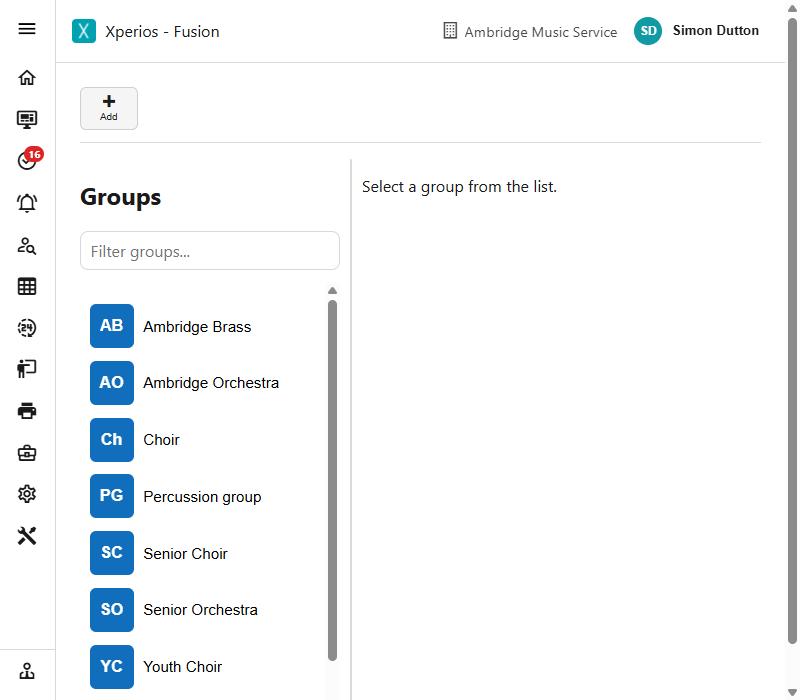
A group is anything taught or run as an ensemble rather than one to one - an orchestra, a choir, a band, a class.
Groups have members rather than individual lessons, and membership is charged separately from tuition. Somebody can be in a group without having lessons with you at all.
Setting one up
Add starts a new group and fills in the first Group Membership service type, a VAT code if you use VAT, and a centre. Where there is no Group Membership service type to choose, Add refuses rather than starting something that cannot be saved.
A group needs a name and a group service type before it will save. Its subjects and picture are saved with it.
Beyond that, the Detail tab carries who runs it and how it is charged - the teacher, the centre, the department and ledger code, the activity rate and VAT code - and the limits that decide who may join: an age range, and a capacity.
When a group is full
Capacity is the number of places. What happens once they are gone is the over capacity option:
| Setting | What happens when it is full |
|---|---|
| Dont Allow | No more places - an application is refused |
| Allow | The limit is advisory; people can still join |
| Add to waiting list | New applicants go on the waiting list instead of in |
Leave capacity empty and there is no limit at all, whatever the over capacity option says.
The tabs
| Tab | What is on it |
|---|---|
| Detail | The group itself - who runs it, how it is charged, capacity and age range |
| Members | Who is in it, who is waiting, and who has been and gone |
| Activity | The group's schedules - its rehearsals |
| Diary | Those rehearsals on a calendar |
| Instructions | What members are told |
| Catalogue | What somebody sees before they apply |
| Subjects | Which subjects the group covers |
| Evidence | Only when Evidence Required is ticked - see below |
Members and Activity are different things
Membership is on the Members tab. Activity is the group's rehearsal schedule, and Diary is that schedule on a calendar. Looking for a member on the Activity tab is a common wrong turn.
Members
Three lists: Current, Waiting and Alumni - who is in now, who is waiting for a place, and who has been and gone. Add Member puts somebody in; End Memberships takes them out as at a date.
Ending a membership does not erase it. The person moves to Alumni, which is what you want - who was in the group, and what they were charged, stays intact.
A membership carries a status, and there are more of them than "in or out", because a place can be offered and not yet taken up:
Active · Waiting List · Offered · Offer Declined · Considering · Evaluating · Submitted For Audition · Validation Required · Modification Requested · Requested Cancellation · Cancelled Application · Progressing
Most are set for you as an application moves along. The ones worth knowing are Offered (a place is held, waiting on the parent), Waiting List (no place yet) and Progressing (being carried into next year).
The catalogue, and applying
The Catalogue tab is what somebody reads before they apply - the full description, the audience it is aimed at, and any minimum requirements. It is worth writing properly: it is the only thing a parent has to go on, and a group described vaguely attracts applications you then have to turn down.
Where Evidence Required is ticked, an applicant is asked to supply something - a recording, a link, a reference - and it arrives on the group's Evidence tab against that member, with the date it was provided. The evidence description is where you say what you want.
Equipment
A group can carry a list of equipment its members need: a uniform, a folder, a particular book. Each item has a cost, can be marked mandatory, and can ask for a size, with an example to help somebody choose.
Members then order from that list - size and quantity - and the order is priced and invoiced like anything else. So a choir's robes or a band's shirts are ordered, charged and tracked through the group rather than handled on the side.
Fees
Group membership is charged separately from tuition, on the group's own activity rate. Two things follow from that:
- Gift Aid is switched on per group (GA Enabled), for that group's fees only - see Settings > Finance.
- Discounts apply only if you have set them up to. A sibling discount can be made to count group membership as well as tuition, and the multi-activity discount can count a group place alongside lessons. Both are configured centrally, not on the group.
Archiving
A group in use is archived rather than deleted, and keeps its picture. Archiving takes it out of the lists people pick from without disturbing the memberships and invoices that refer to it.
See also
- Group Members - membership across every group at once, and the subsidy and remission queues
- Registers and attendance - marking a rehearsal