
Appearance
Events
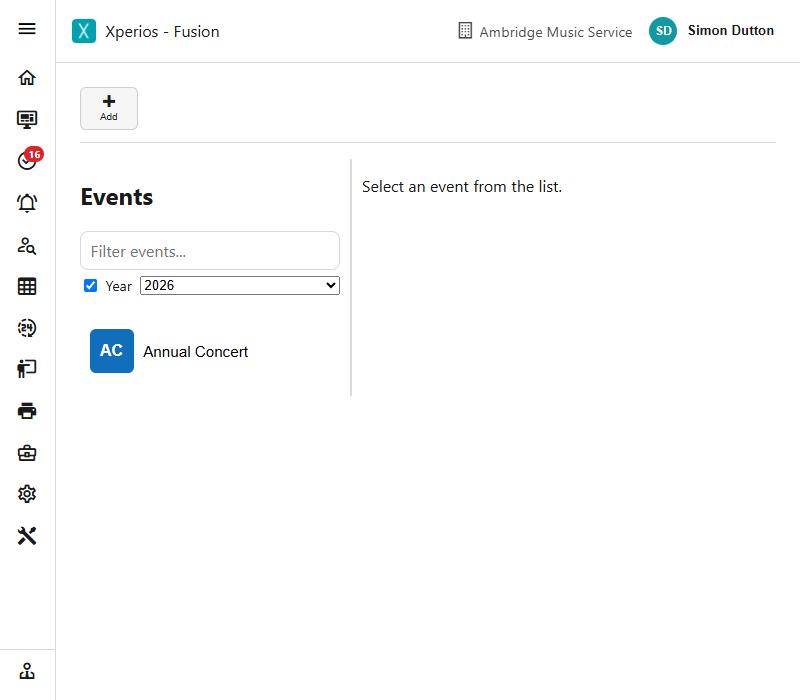
An event is a one-off thing people book onto - a concert, a workshop, a come and play day - with a capacity.
Setting one up
Add starts a new event, set Live and weekly, in the current academic year and carrying its dates, with the first Events service type and its ledger code, a VAT code and a centre, the next event code, the two default questions, and you as its creator. Where there is no Events service type, VAT code or centre, Add refuses.
It needs a name, a code of letters, digits and dashes, an Events service type, and an end date not before the start.
An event is Live, Pending or Cancelled. Pending is the useful one while you are still arranging it: the event exists and can be worked on without being offered to anybody.
Repeating last year's event
Copy makes a new event from this one - its details, booking options and set-up - with the dates moved on a year. Running the same workshop every February is a copy and two date changes, not a rebuild.
When bookings open and close
Open date and close date decide when people can book, which is not the same as when the event happens. Setting an event up in July to open in September is the normal way round.
Where Applicants Require Approval is ticked, an application waits for somebody to approve it rather than taking a place straight away.
Capacity and threshold
Capacity is the number of places, and the over capacity option decides what happens when they are gone - Don’t Allow refuses further bookings, Allow lets them through anyway, and Add to waiting list keeps taking applications but puts them on the waiting list.
Capacity does nothing on its own
The capacity is enforced only when an over capacity option has been chosen. Leave it unset and the number is ignored, and bookings keep coming. The two work as a pair.
An event counts as full when its bookings and its waiting list together reach the capacity - so a waiting list is not a way of taking applications indefinitely. A group booking counts one place per person in it, delegates and lead delegates alike, rather than one place per booking.
Threshold is different, and often misread: it is a number of applications to watch for, drawn as a line beside capacity on the Statistics chart. Nothing stops you going past it. Use it for the number that makes the event worth running - "this needs twenty to break even" - and watch the chart.
What it costs
| Field | What it does |
|---|---|
| Cost | What each delegate pays |
| Lead delegate cost | What the lead delegate pays, charged once on top of the cost for each other delegate |
| Deposit | Taken when somebody books, with the rest to follow |
| Payment due by | When the balance is due |
| Offer installments | Lets the fee be paid in instalments |
Event fees take the same reductions as anything else: remissions, subsidies, bursaries and discount codes all apply to a booking line, so a delegate entitled to help gets it here as well as on their lessons.
How people book
The Booking Type on the event's service type decides how places are taken - Individual, Groups, or from a List of delegates. That is set on the service type rather than on the event.
A booking is Pending, Completed, or Third Party where somebody else is booking on a delegate's behalf.
The Delegates tab is who is coming.
Extras
The Extras tab holds things a delegate can add while booking - a lunch, a t-shirt, a coach seat.
Extras in the same selection group are alternatives: only one of them can be chosen, which is how you offer a choice of sizes or meal options without somebody picking three. Position sets the order they appear in.
Staffing it
The Activity tab is the event's schedule, and the Diary tab shows it on a calendar. Staff are put on the event through its schedule, the same way they are for anything else - so an event with several tutors has several schedule rows, not one teacher field.
The primary teacher on the Detail tab is who leads it.
What people see before they book
The Catalogue tab carries the full description, the audience, any minimum requirements and the age range.
An event can also ask applicants for more: the two standard questions about experience and reason for applying, an additional information form for anything else, and evidence where you need something supplied.
Statistics
The Statistics tab shows how the event is filling up and who has booked, with capacity and threshold drawn on the chart.
Copying an event
Copy, on the toolbar, makes next year’s event from this one. It asks for the new start, end, open and close dates and a payment due by, each offered a year on; leave the payment date alone and it keeps the same gap before (or after) the start as last time. The academic year is set from the new start date.
It copies the event’s details, its booking options and categories, and its picture. It does not copy the bookings or the sessions - it is a new event, with the next event code, not a duplicate of last year’s delegates.
A cancelled event copies as Live, with the cancel reason cleared; anything else keeps the status it had, so a copy of a Pending event is Pending until you make it live. The copy is never archived and has no approver.
Copy rather than rebuild
Everything that was right about last year - the cost, the extras, the delegate types, the approval and evidence settings - stays right. Building a new event by hand is where a missing over capacity option or a forgotten open date comes from.
Cancelling and archiving
Cancelling an event sets its status to Cancelled and records a cancel reason, so the history says why.
An event in use is archived rather than deleted, so bookings and invoices against it stay intact.