
Appearance
Teacher Activities
Teacher Activities is what you can teach, and to what level. It is a short page that does more than it looks: the office reads it when deciding who to put against a new lesson.
Where to find it: Teaching > Teacher Admin > Teacher Activities
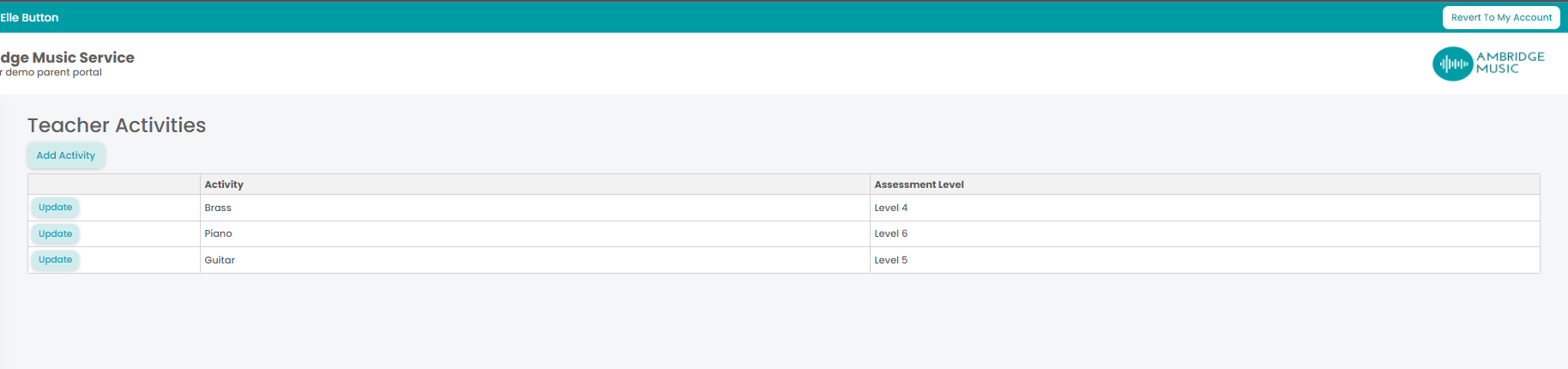
Add Activity adds one — choose the Activity and the Assessment Level, which is the level you are able to teach up to. Update on a row changes it, which is what you want when you can take pupils further than you could a year ago.
When you have none the page says no activities, and that is worth fixing rather than leaving: an empty list tells the office nothing.
This feeds scheduling in Xperios
What you put here appears on your Teacher tab inside Xperios, where the admin team look when they are matching new applicants to teachers. An activity you can teach but have not listed is work that will go to somebody else — and a level set too low has the same effect for the more advanced pupils.
This is about what you are able to teach. The activities you are actually timetabled for are in your diary and on your contract breakdown; your qualifications are kept separately under Qualifications.