
Appearance
Online Payments
Families pay for tuition, group memberships, hires, events and exams through the Portal. This page is what a parent meets — and why they are sometimes offered less than you expect.
Where paying starts
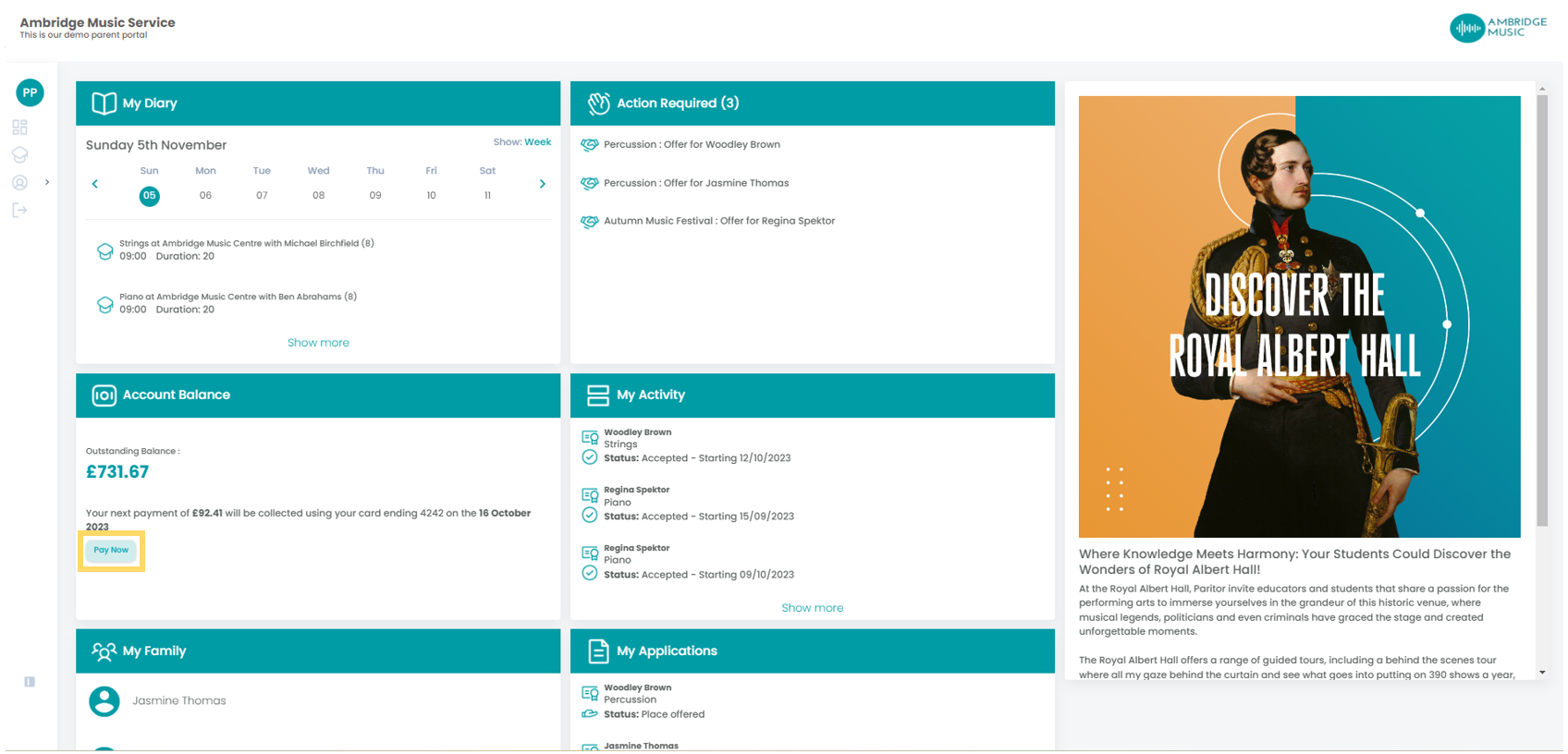
Two places. Accepting an offer, where the payment is part of saying yes. And the account itself, from the balance on the dashboard or from My Finances, where outstanding invoices are listed and can be paid.
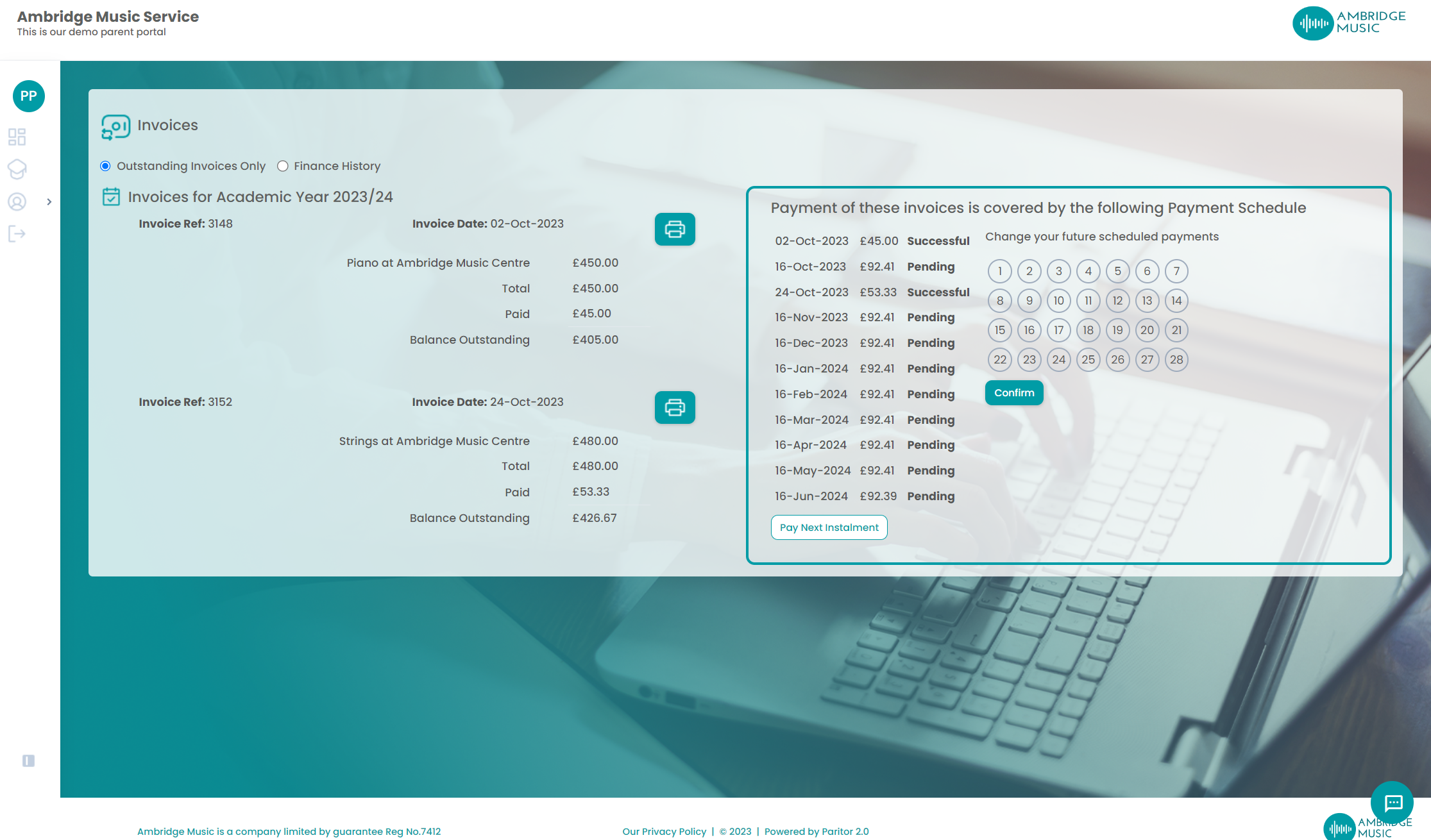
My Finances opens on outstanding invoices, with Full History beside it. Each invoice carries its date, description, total, what has been paid and what is left, with a print icon that opens it as a PDF. Where a payment schedule covers those invoices it is shown alongside, with its dates, amounts and each instalment's status, and the next instalment can be paid early.
What a parent is offered, and why it varies
Two parents looking at the same lesson can be offered different things. Three things decide it, and only the middle one is about the activity:
- The payer's own payment option. A payer set to On Invoice is never asked to pay when they accept: the charge goes onto their account to be invoiced, so they are offered the full amount and nothing else. A hire deposit is the exception — that is still taken at the time.
- The rate. Instalments are offered only where the activity's rate offers them.
- Your service. If your service-wide instalment option is None, nobody is offered instalments at all.
All three have to agree. Any one of them missing and the only choice is to pay in full — which is the usual answer to "why is this parent not offered monthly?"
Spreading an invoice over monthly instalments
A parent can also spread an invoice they have already been sent. It is offered on a yearly or termly invoice that is not already on a schedule, with at least a pound owing, where your provider takes cards and instalments are offered.
The plan is one instalment now and one a month on a day they choose, up to twelve, finishing by the invoice's due date. That date is worked out rather than typed: a yearly invoice is due the day before the next academic year starts, a termly one at the end of its term.
"This invoice is due too soon to pay by instalments"
The commonest refusal, and it means what it says: there is no room for at least two instalments between today and the due date. A termly invoice late in its term often cannot be spread at all — which is why the same invoice behaves differently in September and in November.
The other refusals are as plain: the invoice is already on a schedule, the balance changed while they were looking, or their schedule for this year has no instalments left to add it to — and that last one needs somebody in your office to generate the next ones.
What a payer can do with a running schedule
A schedule already collecting is not untouchable. Four things can be offered beside it, and your service's settings and the schedule's own state decide which of them appear:
| Option | What it does |
|---|---|
| Pay Next Instalment | Takes the next one now rather than waiting for its date |
| Change the payment day | "Change the day on which your future scheduled payments are taken" |
| Switch to monthly | Moves what is left onto monthly instalments |
| Change card | Puts a different card behind the schedule |
The payment day is a choice from a list, not a free date
The day is picked from the days your service allows, not from a calendar — so a payer cannot land their collection on a day you do not collect on. Choosing one and confirming moves the future payments, not those already taken.
An instalment too small for a card is not lost
Where the next instalment is below what a card provider will take, the payer is told: "Too small to pay by card - it will be collected with your next payment." Nothing has failed — the amount simply rolls into the following collection.
The smallest payment a card will take
Card providers refuse very small amounts, so a card payment below the minimum — around thirty pence with Stripe — is never offered. A balance under it simply has no Pay button, and the amount stays owed until something else joins it.
The consequence worth knowing
An instalment plan whose first payment would fall below the minimum is not set up at all, and the whole fee is left owing on the invoice. A very small plan quietly becomes a single invoice. If a plan you expected never appeared, check what its first instalment would have been.
When a payment does not simply succeed
A payment has four outcomes, not two. Paid is done. Failed is the provider refusing it or the parent abandoning it. Pending means the provider has not answered yet. And there is a fourth worth knowing: the money is taken but not posted — the card is charged, posting it to the account afterwards failed, and your office is told.
Do not take a second payment
A parent saying "it told me it failed but I have been charged" is usually this fourth state. The first payment really was taken, and the answer is to post it rather than to charge them again.
Two things that stop paying altogether
A held or closed account. Where the payer's debtor account is not Normal they cannot pay and cannot book, whatever the invoice says: they are told the account is suspended and to contact the office. It is checked before the amount or the invoice is even looked at.
A service that does not take payments online. Not every service does. Where yours does not, the Portal says so plainly and tells them how to pay instead, and where you collect by Direct Debit it points them at your mandate form.
See also
- A parent cannot pay, or is only offered to pay in full — the same ground from your side of the desk, and how to work through it
- A payment schedule is not collecting — a plan that exists and is not taking money
- My Finance — the page itself, in the Portal menu
- Debtors — where the invoice and the payment land in Xperios