
Appearance
Group Members
Group Members is the membership of your ensembles and groups — who is in each one, what part they play, and when they joined or left. The Teaching menu calls it Group Attendees.
Where to find it: Teaching > Pupil Management > Group Members
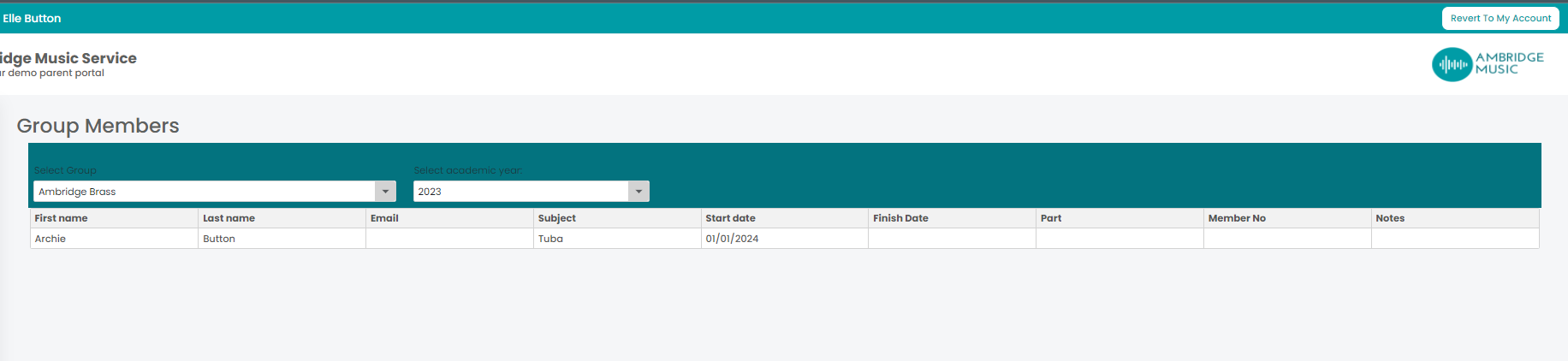
Choose the group and the academic year. If a group has nobody in it for the year you picked, the page says no attendees — usually a sign of the wrong year rather than an empty ensemble.
The columns
| Column | |
|---|---|
| First Name and Last Name | The member. Click to open their pupil page |
| Only where your service lets teachers see contact information | |
| Subject | What they play or sing |
| Start Date and Finish Date | When they joined, and left if they have |
| Part | Which part they take — first violin, second clarinet, and so on |
| Member No | Their number in the group |
| Attendance Notes | Notes kept against their membership |
Part is the column that makes this page worth opening before a rehearsal: it is the seating and the parts to print, in the order you need them.
A finish date does not empty the chair
A member with a Finish Date has left, but their row stays — group membership is a record, not just a current list. So a group that looks over-subscribed may simply be carrying people who have moved on. Read the finish dates before you count.
Messaging the group
Send message writes to the families of everyone in the group, which is the right tool for a rehearsal change, a concert call or a reminder about parts. Each family gets their own message, so nobody sees anybody else's details.