
Appearance
My Resources
My Resources is the instruments and equipment you are holding: what you have, where it is, who has it, and when you last laid eyes on it.
Where to find it: Teaching > Resources > My Resources
It is there where your service runs the Resources module.
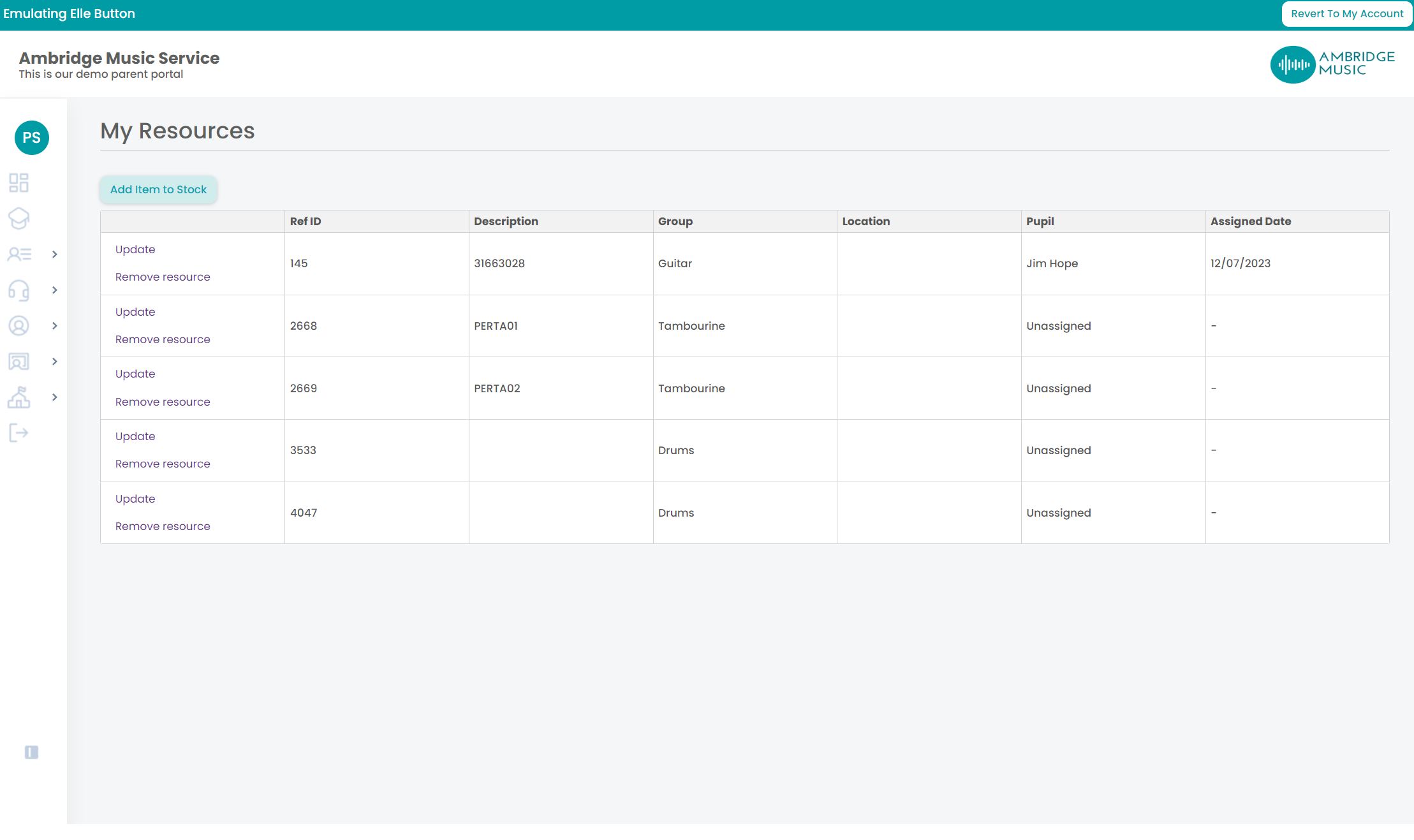
The columns
| Column | |
|---|---|
| Ref ID | The instrument's own reference |
| Group and Type | What kind of thing it is |
| Make | The maker |
| School | The school it is held at |
| Location | Where it is — a cupboard, a room, your car |
| Pupil | Who has it, if it is out with somebody |
| Date Returned | When it came back |
| Last Stock Take | When you last confirmed you had eyes on it |
Keeping it straight
Update changes an instrument's Location. It is free text, so write what would help somebody else find it rather than you — "Music store, top shelf" beats "upstairs".
Confirm against Last Stock Take records that you have seen the instrument today. That is the whole of a stock take: walking round and confirming what is actually there.
Stock takes are what make the list trustworthy
A list of instruments nobody has confirmed for two years is not an inventory, it is a hope. Confirming as you go — a few each visit — is what lets the service tell the difference between an instrument that is somewhere and one that is lost.
Taking an instrument back from a pupil
Deassign is the pupil giving it back to you. You are asked for the date it came back, and the date must be:
- filled in,
- not in the future, and
- not before the day it went out to them — you are told the date it was assigned if you get this wrong.
Use the date it actually came back, not today's date, if a week has gone by. The return date is what the service bills and chases against.
Take the instrument back before you finish the pupil
A pupil who still has an instrument assigned cannot be finished or removed from a lesson — those buttons are disabled until it is back. Deassign first, then finish them.
Adding to and giving up stock
Add resource to stock claims instruments nobody is holding, searched by group or by reference. Remove resource does the opposite: it releases an instrument back to the service, so it leaves your list and somebody else can claim it.
Both of these need your service to have given you the right to add and remove stock. If you cannot see those buttons, that is why, and the office can take the instrument off your hands instead.