
Appearance
Tuition Pupils
Tuition Pupils is every pupil you have taught in an academic year, on one page, with their attendance so far. The Teaching menu calls it Tuition Pupils and the page itself is headed Pupil List — they are the same thing.
Where to find it: Teaching > Pupil Management > Tuition Pupils
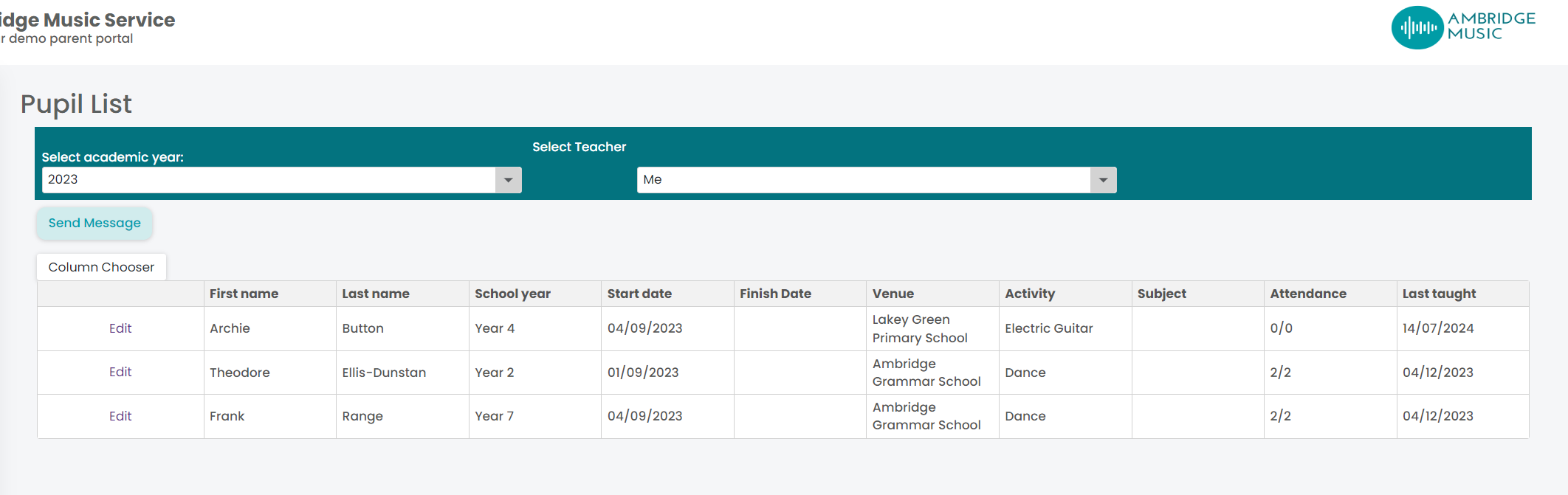
Choose the academic year at the top. Line managers also get a Teacher list, so you can look at anybody in your team.
The columns
Shown by default:
| Column | |
|---|---|
| First Name and Last Name | Click either to open the pupil |
| School Year | Their year at school |
| Start Date and Finish Date | When their tuition began and ended |
| Venue and Activity | Where, and what |
| Subject | What they learn |
| Attendance | How they have attended across the year |
| Final Session | The last time you taught them |
There are more columns hidden behind the column chooser: Contact 1, their relationship to the pupil, and Contact 2. Where your service lets teachers see contact information, you also get the pupil's and Contact 1's email and mobile. Turn on what you need — your choice of columns is remembered for next time.
Contact details are a service setting
If the email and mobile columns are not in the chooser at all, your service has chosen not to show teachers contact information. That is a decision made in Xperios, so asking the office is the route rather than looking harder.
Opening a pupil
Clicking a name opens that pupil's own page, with their details, attendance, notes and exam records. Which page you get depends on who pays:
- A school-billed pupil opens their school-billed review, where their enrolment can be amended.
- Any other pupil opens the parental pupil review.
Messaging the list
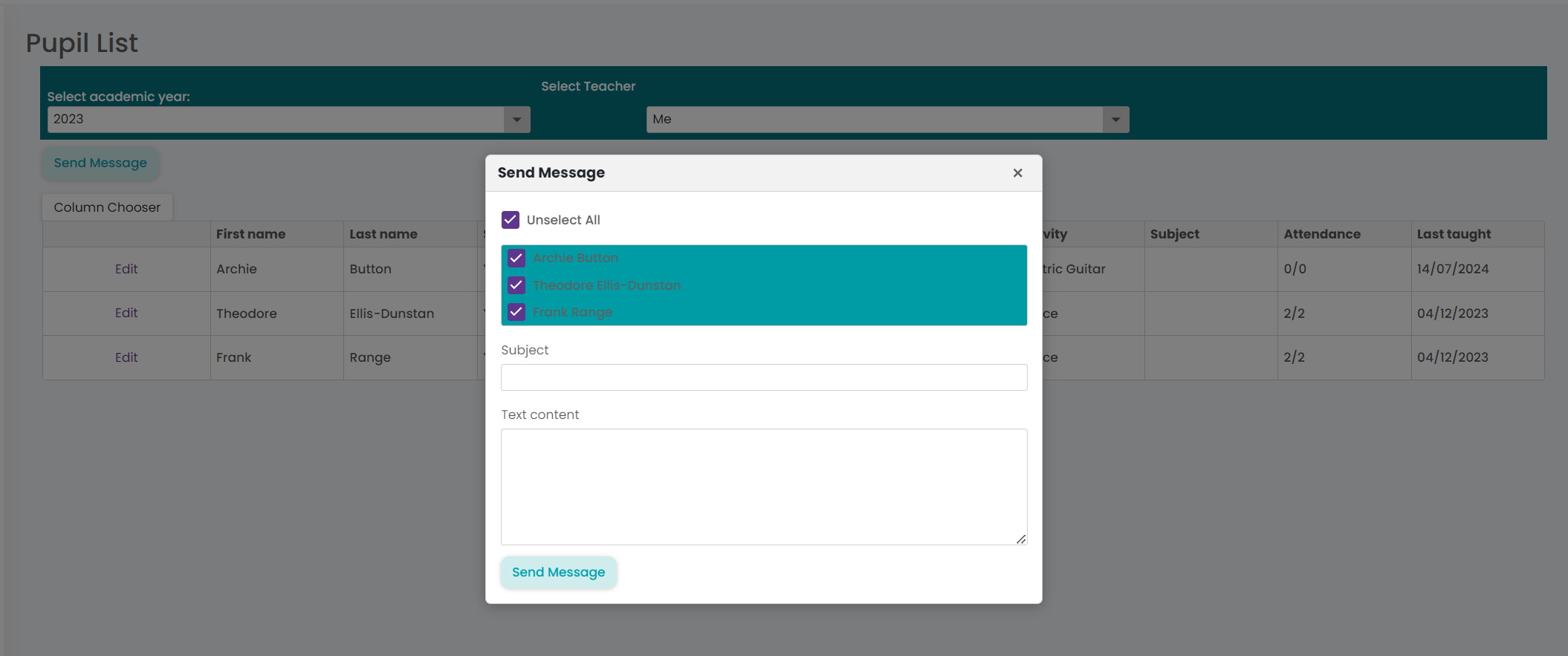
Send message writes to the families of the pupils in the list — useful for something that affects a whole year's worth of teaching, like a change of room or a concert date, rather than a single lesson. For one lesson's families, the lesson's own Communication tab is narrower and safer.
What this page is good for
Three things it answers faster than anywhere else: who has stopped coming (a Finish Date or an old Final Session against a pupil you thought was still with you), whose attendance has slipped before it becomes a conversation with a parent, and who exactly you taught last year when a reference or a report is needed.